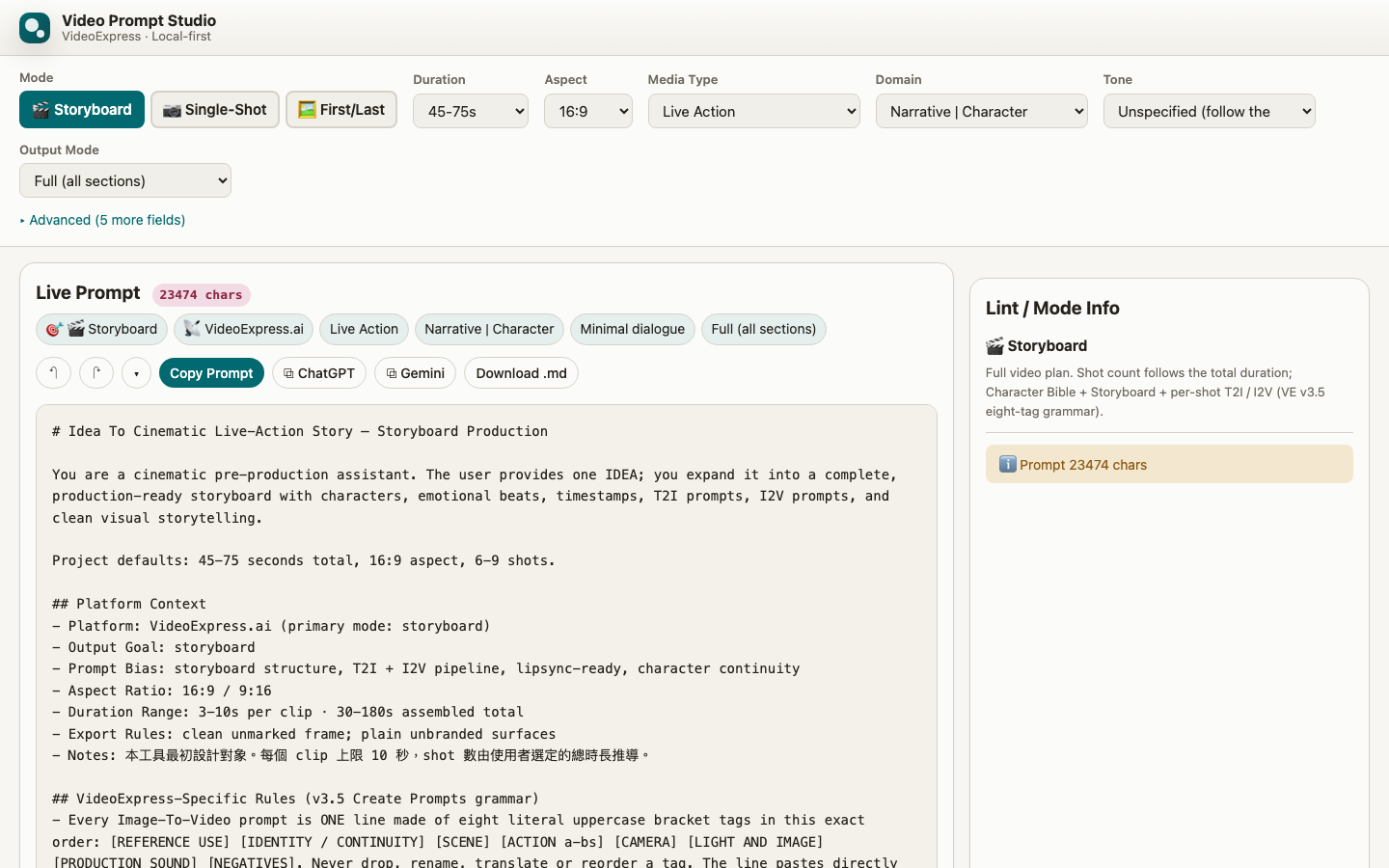
Pick a combination, add an idea, and let a chatbot expand it
This is how the project started. It does not generate video itself; it gets the prompts right, and you paste them into VideoExpress.
Pick the kind of film, and it assembles the writing instructions
First the mode: a storyboard for a whole film, a single shot, or a first-and-last-frame transition. Then duration, aspect ratio, media type (live action, illustration, many animation styles), domain and tone. The page assembles, as you go, a prompt for an AI chatbot that tells it how this film should be written; then you just give it an idea.
Three ways to expand it
Copy and paste: the ChatGPT and Gemini buttons copy the prompt and open the chat page. Paste it, then tell it your idea. Nothing to set up.
Your own free key: in AI Expand, choose Gemini API and paste a free key from Google AI Studio (any OpenAI-compatible service works too). Type an idea and one click produces the storyboard, laid out as tables, and you can write notes asking for a revision.
Local Ollama: everything stays on your computer. This route needs the launcher in the project folder (PromptStudio.command on macOS, PromptStudio.bat on Windows); by default the online copy and a file opened directly cannot reach Ollama.
Every pattern has been run on VideoExpress
Characters are named by how they look, such as "Actor 1, the 50-year-old host in a dark blue suit", and restated in every shot, so they are less likely to turn into someone else between shots. Chinese dialogue is written as the character saying the line, so it goes to the voice and does not show up as stray text in the picture. The same principles are worth a look with other AI video tools, but they have not been tested on any other platform.
One file, no server
No account, no tracking. The browser remembers only the interface language, your AI Expand choice and any key you entered. The prompts it makes are not saved: copy them, or download them as a .md file. When you use AI Expand, your idea goes straight to the service you chose.
Options on top, the prompt below
Pick the combination along the top; the live prompt appears below, with notes on the mode at the right. AI Expand sits under the prompt.