Open source · MIT License

You bring the idea.
The agent does the rest.

A video and explainer toolkit for AI agents

Start from an idea or a script and get a finished film with narration, subtitles, charts and a host. Every step is documented in plain language, and the core flow runs on your own computer with no account and no API key.

27code-drawn scenes
15palettes
3AI agents have run it
0accounts or keys required
Free tools are enough

Voice, timing, visuals and assembly can all run on your own computer. The first example runs start to finish on free tools.

Every stage is swappable

Voice, generated shots, host, editor: use the ones you already like. Follow the setup notes and they plug in.

Agents run it from the docs

In basic trials, three different agents read only the docs in the project and each made a film that passed the checks, including a local model running on a laptop and DeepSeek on its free tier.

What's different

It is not another video editor

Most AI editing tools trim footage you already shot and add subtitles. Script2Film starts from the idea: the film is built to match what you want to say.

Typical AI editing tools
Script2Film
Start by cutting footage you shot
Start from an ideaThe narration is in the script, and so is which line goes with which visual.
Visuals are stock, or generated wholesale
Charts, formulas, lists and more: 27 scenes drawn by codeNumbers come straight from the script, so they are never drawn wrong. Change the script and rerun.
The project is locked inside the app
Every step leaves a readable fileThe script, the timing of every line and the edit plan are text files you can diff and put under version control.
Export, and you are done
Every exported film is checkedA half-written file, black frames, wrong loudness, sound effects missing from the mix, or a film older than its inputs stops the upload.
Tied to one service
Every stage can be swappedVoice, generated shots, host and editor each have a default, and each has a documented way to use something else.
Monthly subscription
The core flow costs nothingIt runs on your own computer with no account and no key. Generated shots and the host are optional, and only those two steps need an outside service.
A GUI you drive with the mouse
No GUI, no manual workTell an AI agent what you want and it follows the docs step by step. It asks you before spending credits, choosing a host look, or uploading. Automation with rules.
// one beat in the script (examples/coffee/doc.json) { "lines": [2], "scene": "pie", "params": { "title": "Sample: where the costs go", "items": [ { "label": "Beans", "value": 45, "at": "beans" }, { "label": "Rent", "value": 30, "at": "rent" }, { "label": "Staff", "value": 25, "at": "staff" } ], "focus": [{ "i": 0, "at": "biggest" }] }}

The script is on the left; what it draws is on the right. When the narration says "beans", the first slice opens; at "biggest", that slice is highlighted.

Features

Everything an explainer needs, one part at a time

Every image below is a real film frame or real tool output.

01 · Narration

Voice it on your own computer and keep the most accurate take of each line

Each line is recorded several times, transcribed and compared with the script, and the closest take is kept and joined. Words that get misread go into a shared pronunciation table that every later film uses.

  • About ten seconds of reference audio is enough to voice a whole film
  • No voice at hand? Design a synthetic one from a text description
$ python3 doc_voice.py examples/coffee/doc.json transcribing 12 candidates locally (whisper.cpp) 1 1.00 Flat in spring, climbing all summer: one 2 1.00 The costs are beans, rent, and staff. Be 3 1.00 Take what comes in, subtract what goes o 4 1.00 Split that profit in two: coffee earns m narration 23.7s, 4 lines; lowest 1.00; below 0.85: none
Real output from take picking in the first example (excerpt): four lines, twelve takes, and each line's score.
02 · Code-drawn visuals

27 scenes that move on the word you say

Line charts, pies, formulas, breakdowns, comparisons, lists, timelines, map routes, text highlighted passage by passage. In the script you write "appear when this word is spoken", and the program lines it up with the real timing of the voice. A quotation comes out of a blur word by word as it is read, a word is struck out and rewritten, a timeline slides from one stretch to the next, a clue board strings ideas together with red thread. 15 looks, and three of them can be tried side by side on this episode's own beats before anything is voiced.
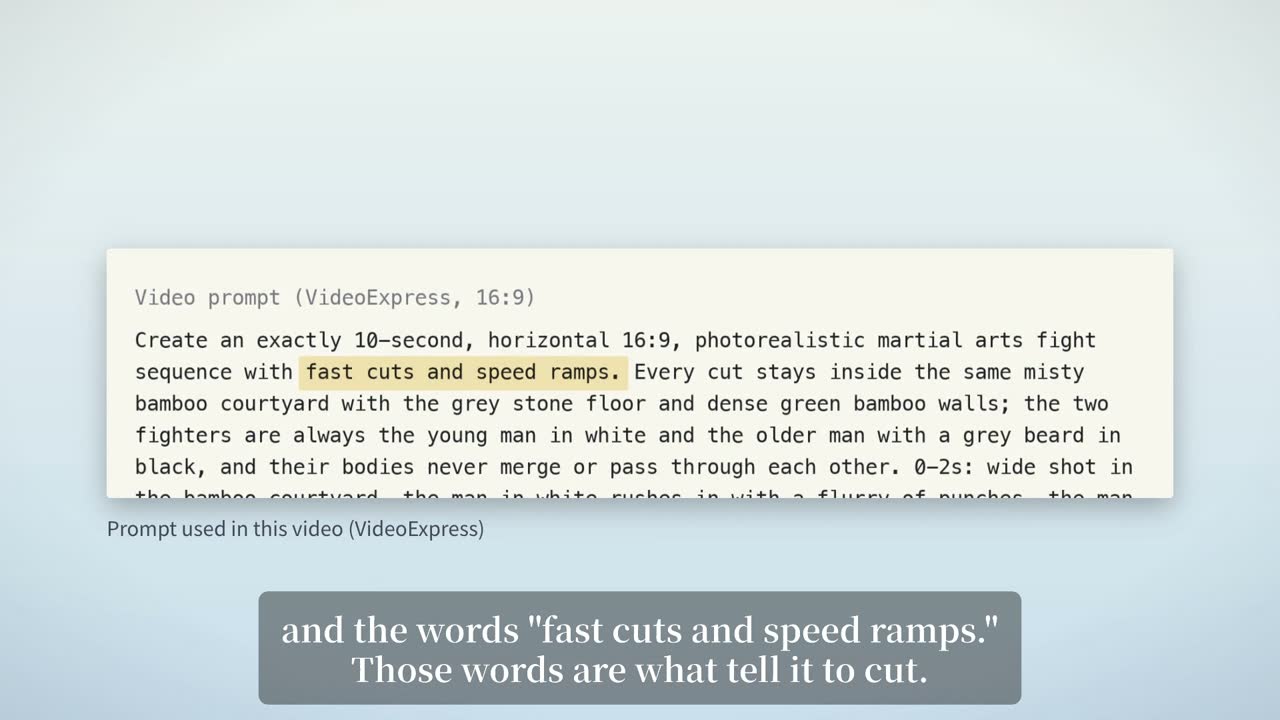
A prompt with the words being spoken highlighted in yellow
The passage being narrated is highlighted as it is read.
03 · Generated shots

Hand the beats that need live footage to a video generator

The tool works out how long each shot must be, writes the prompts and lays them out as a run sheet. By default it submits to VideoExpress and collects the results; another platform, or generating by hand, works too if you put the files back under the expected names. Returned clips are measured and checked for bad first and last frames.
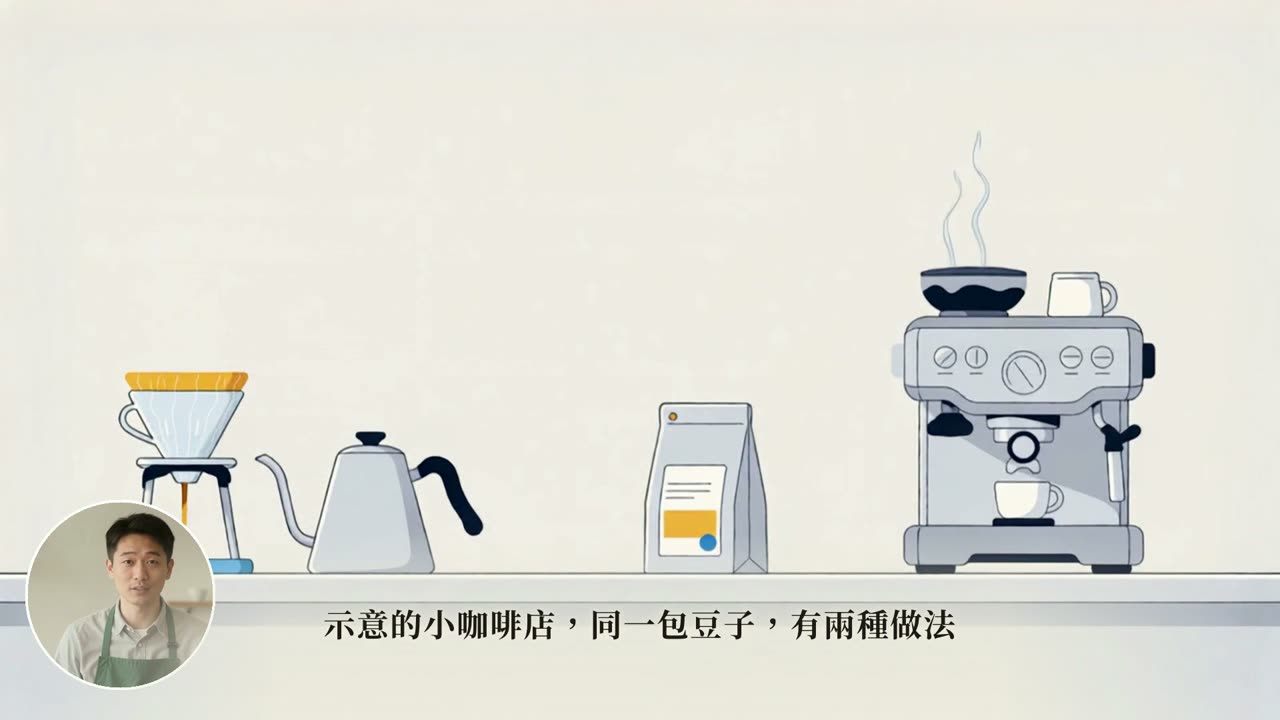
A pour-over kettle and an espresso machine on a coffee bar, with a host in a circle at lower left and subtitles below
The first beat of examples/brewing: a generated shot placed on the timeline, with the host circle and subtitles layered on as usual.
04 · Host

A lip-synced host in three placements

The narration is cut into segments, sent for lip sync and placed back on the timeline. The host can sit in a corner circle, in a frame on the right, or fill the screen. You are shown a few look images first, and nothing is sent until you pick one.

  • Use only your own likeness, or one you have the right to use
  • The voice must fit the person on screen
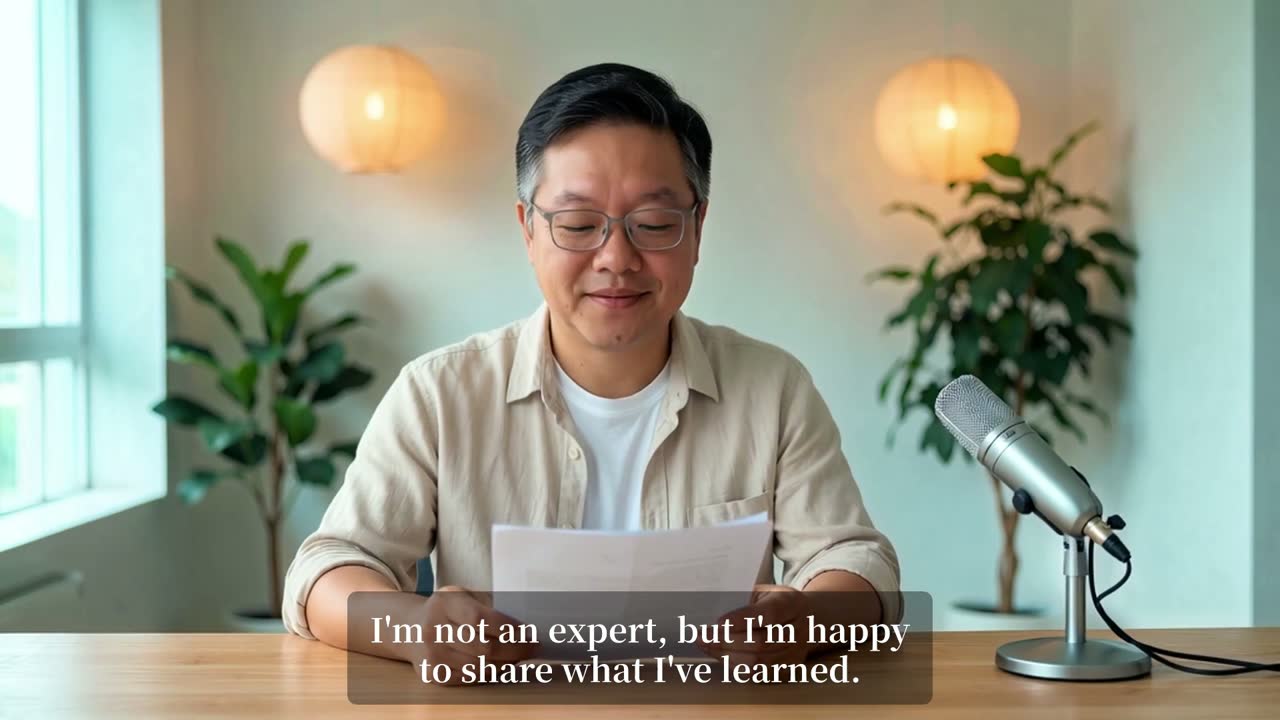
Host full frame
Host in a circle at lower left
Host in a frame at upper right
Full frame, circle and side frame, mixed within one film.
05 · Subtitles and timing

Subtitles follow the voice, with no manual syncing

The voice track is transcribed locally to get the time of every word, and both subtitles and visuals are laid out from that timing. A timed subtitle file is also written for later use.
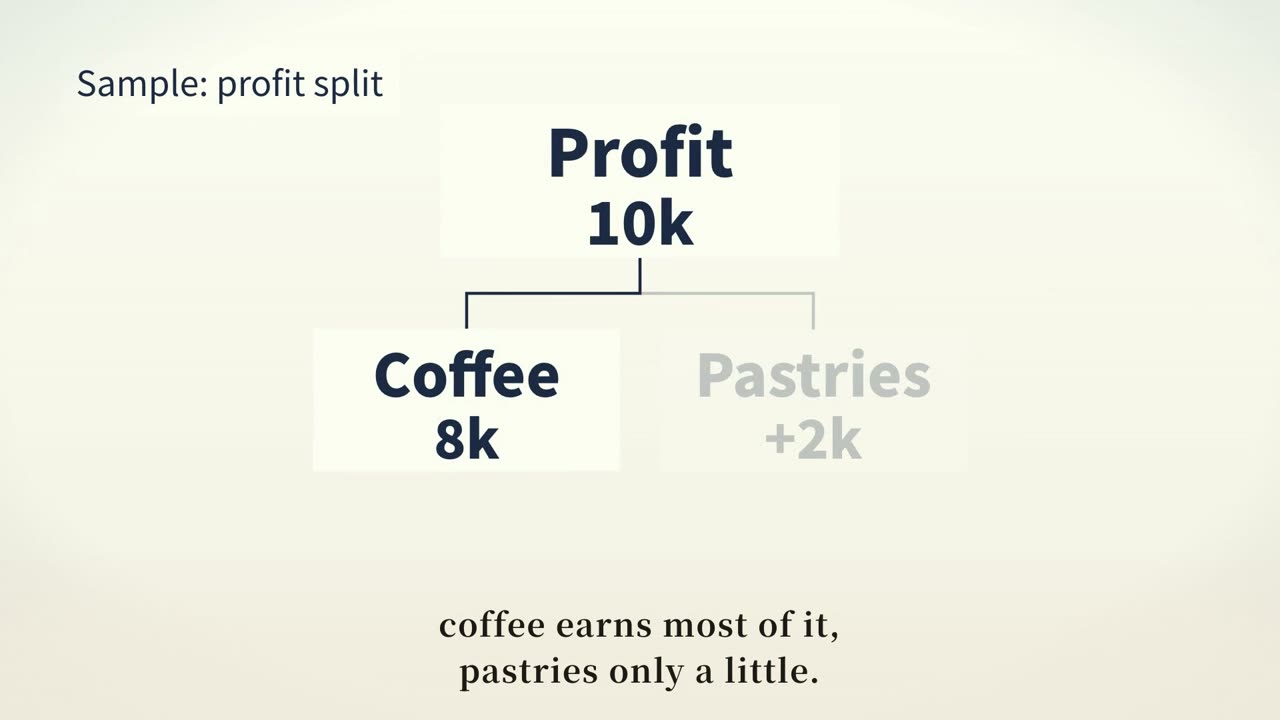
A chart splitting profit into coffee and pastry, with two lines of English subtitles below
The last beat of the first example: at the word "coffee" that box lights up and the subtitle appears with it.
06 · Output check

Rendering is not the end: the AI checks its own work

Every exported film is checked on the spot, whatever kind it is: audio and video the same length, no black frames inside, loudness and peak, sound effects really in the mix, and made from the current files. The result stays next to the film with its SHA-256, and only that file can be uploaded. For explainers the first and last frame of every beat go into one sheet; the agent has to read it frame by frame before reporting done, and reports what it cannot make out instead of guessing.
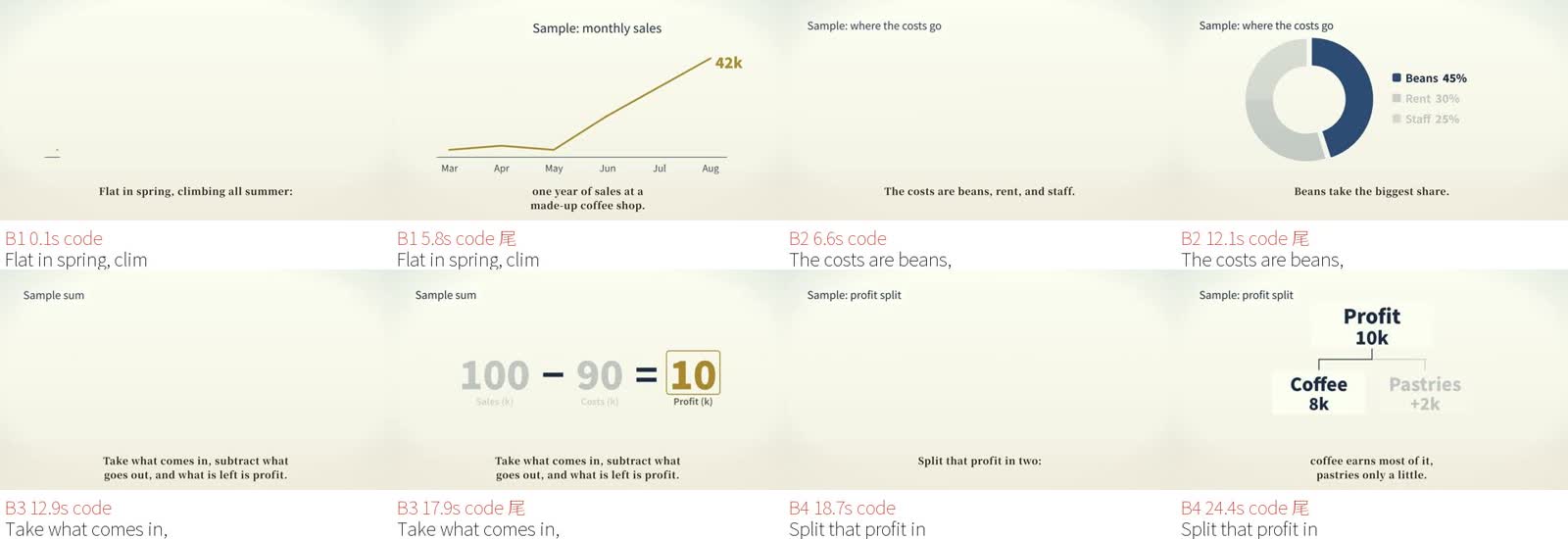
A check sheet with two frames for each of four beats
The check sheet from the first example: four beats, with the first and last frame of each.

Matters of taste are listed and never fail the film: music that does not step aside between lines, an opening that holds one picture for more than five seconds (the cover does not count), generated shots on so many lines that the high points no longer stand out, an episode too close to the three before it. The thresholds come from measuring published films, and where each came from is written in the code.

Music and sound effects

Background music is composed by code from the on-screen events, so sections start on the beat. Sound effects are lined up with the moment each element appears.

Start and release checklists

Before anything is generated or uploaded, the questions that need asking are answered one by one: rights, sources, whether anyone is depicted wrongly. Unanswered items stop the run.

YouTube upload

Schedule, thumbnail, description and the altered-content label go up in one step. Whether to upload and when to publish is your call.

Side by side with a film you like

Measure the rhythm of a film you admire next to your own: shot lengths, how fast the opening changes picture, how much is speech, how quiet it gets between lines, plus a contact sheet with the narration under each frame. It measures; it does not judge for you.
Made with it

All of these were made with it

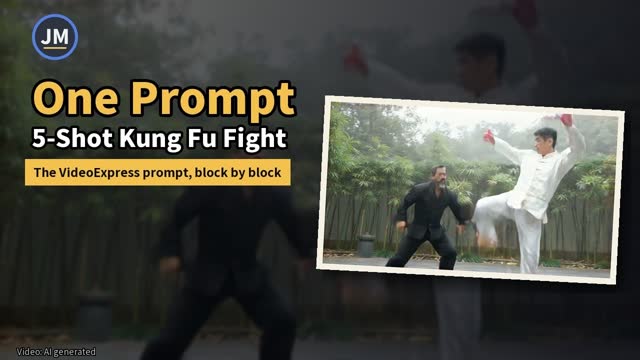
The author uses it every week on two channels. Here is one film of each of four kinds; each opens on YouTube.

Channels: NotoriousLab (English) · Jacob Mei (Chinese)

How it works

Seven stages, and each one leaves a file behind

Each stage reads the file the previous one left and writes its own. You can stop at any stage to look, edit and rerun.

F0
Install check

Lists what is missing and how to install it.

F1
Script

Narration and the visual for each beat, in one file.

F2
Voice

Voice every line and keep the most accurate take.

F3
Timing

Measure when every word is spoken.

F4
Visuals

Code draws each beat to that timing.

F5
Assembly

Voice, visuals and subtitles become one film.

F6
Check

Measure, build the check sheet, read every frame.

Six optional stages attach alongside: generated shots, host, music and sound effects, overlays in an editor, checklists, and upload. The full steps and commands are in the flow document.

Who has run it

Three agents made it work from the docs alone

The trials ran on the author's MacBook Pro (M3 Max, 36 GB RAM). For all three agents and four models the film passed the output check, and its length fell within the range expected for the example (a 25-second English film).

Agent Model Core flow (no account) Generated shots + host
Claude Code Claude Opus Works Works
Google Antigravity Gemini 4 Argon, low Works Works
opencode + Ollama Qwen 27b (MLX), local Works, about 13 minutes Works, about 35 minutes
opencode DeepSeek V4.1 Flash (free tier) Works, about 20 minutes for two films Not tried

Where each one got stuck, and how to get past it with another agent, is in the trial notes.

Start

Your first film in three steps

Verified so far on Apple Silicon Macs (tested on a MacBook Pro M3 Max). The first example is a four-line English film of about 25 seconds and needs no account.

1

Get the project (not sure how? ask your AI)

Clone it with git, or download the ZIP and unpack it.

git clone https://github.com/notoriouslab/script2film.git
2

Run the install check

It only checks and installs nothing, and tells you what is missing and how to install it. A first install on a new machine takes about 30 minutes and about 7 GB of downloads; the steps are in the install guide.

python3 tools/doctor/doctor.py
3

Open your agent in this folder

Then tell it:

Follow the docs and make examples/coffee into a film.